Update Contact Tutorial
Learn how to update information about your contacts in the eIOU protocol.
This video shows how to update contact information, including names, fees, and credit limits, in the eIOU protocol.
What You'll Learn
- How to update contact information in your local database
- Changing contact names
- Adjusting fee percentages
- Modifying credit limits
- Updating multiple parameters at once
Command Usage
docker exec -it Alice eiou update [URI] [type] [value(s)]
Examples
docker exec -it Alice eiou update http://Bob name Robert
docker exec -it Alice eiou update http://Bob all Robert 0.2 2000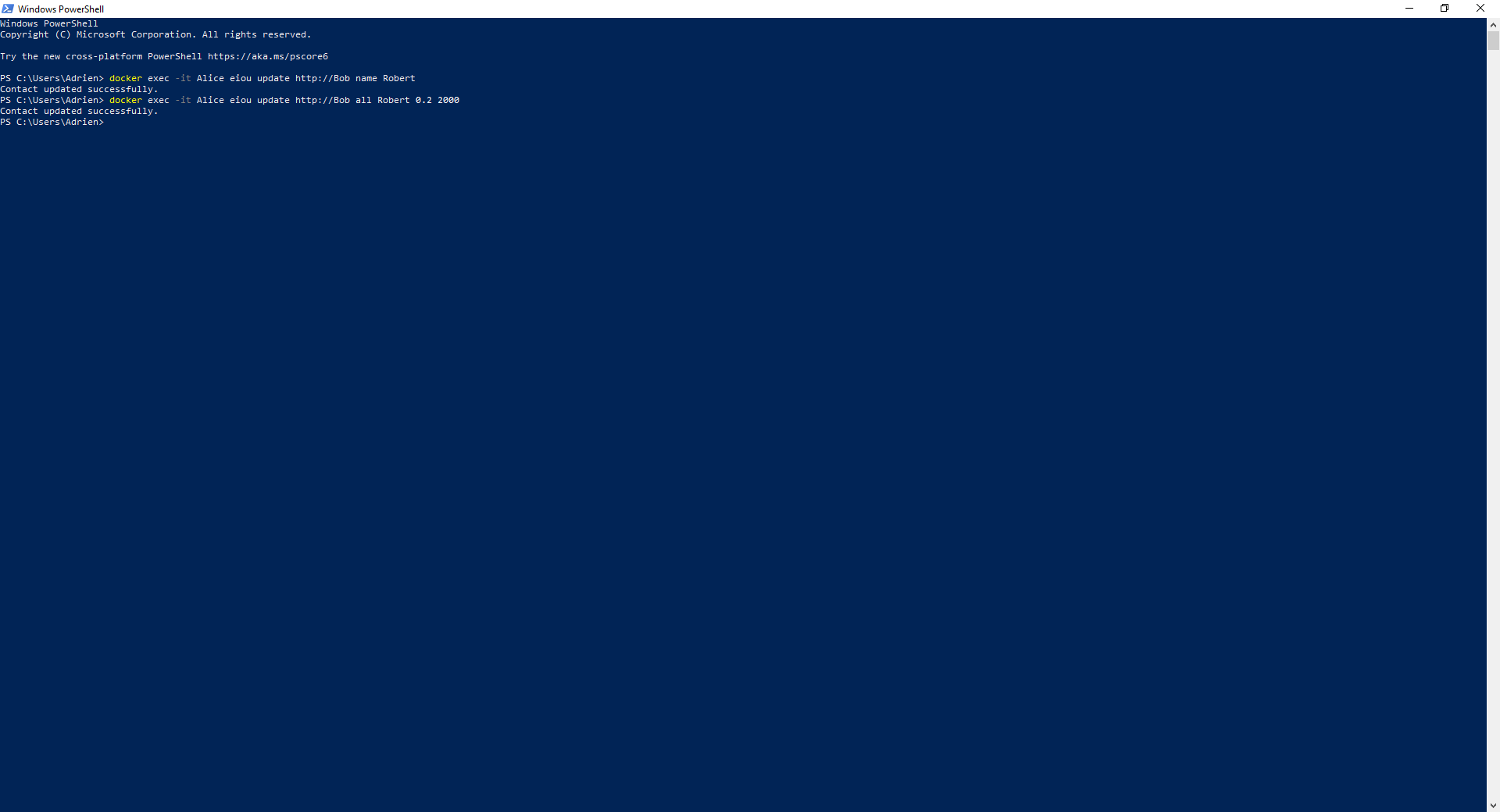
Update Types
- name: Update contact name
- fee: Update fee percentage
- credit: Update credit limit
- all: Update all parameters at once ([name] [fee] [credit])
Important Notes
- Changes only affect your local database
- Credit limit changes may affect existing transactions
- If you make a mistake, you can update the contact again or re-add them as needed.
Verifying Your Changes
After updating a contact, you can verify that the changes were applied correctly by viewing the contact:
docker exec -it Alice eiou viewcontact http://Bob
This will display the current contact information, including the
updated name, fee percentage, and credit limit.
Note: When updating a contact's name, make sure to use
the contact's URL (e.g. http://Bob) in the command.
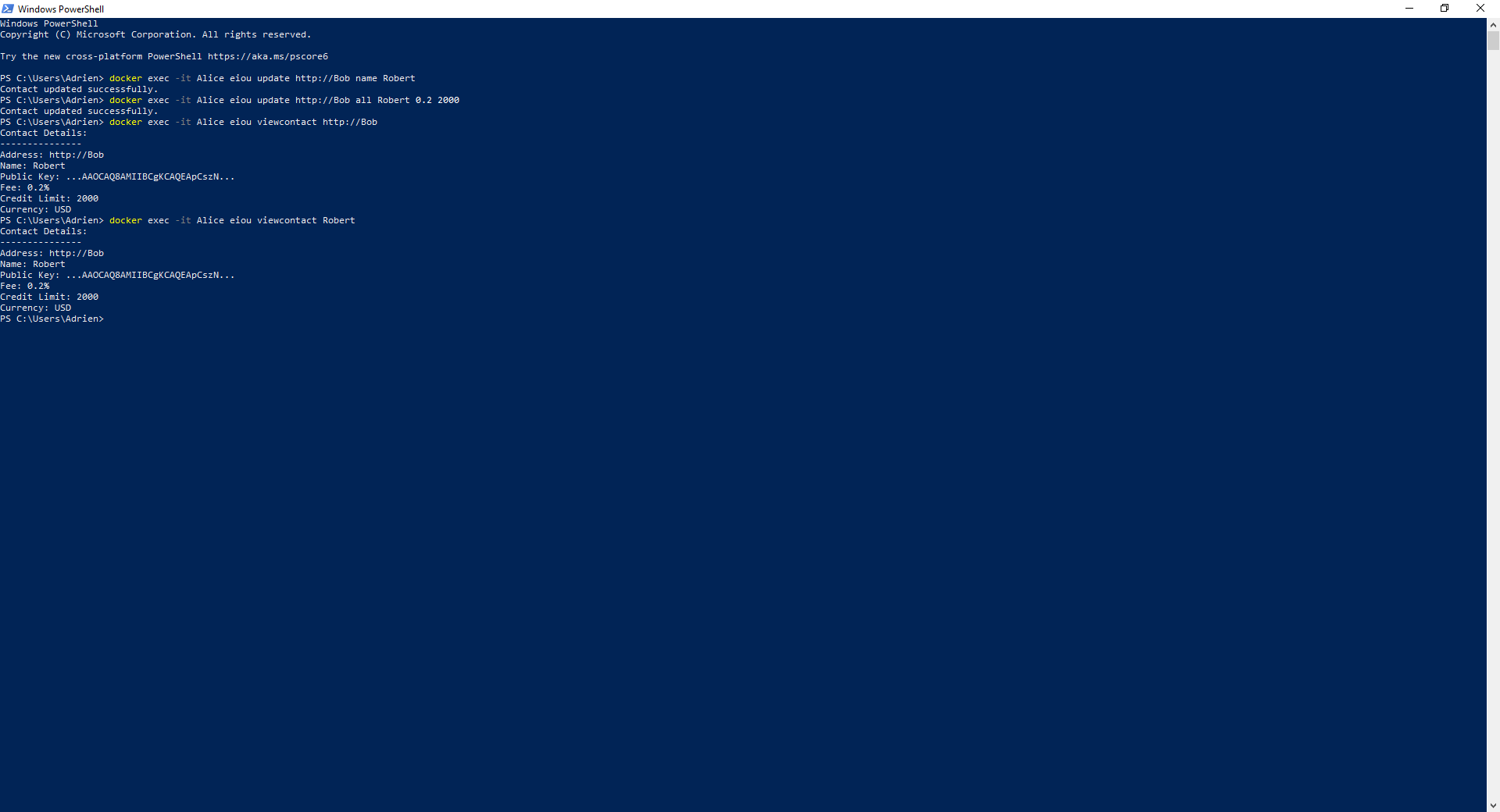
For example, after changing Bob's name to Robert, you can view the updated
contact using:
docker exec -it Alice eiou viewcontact Robert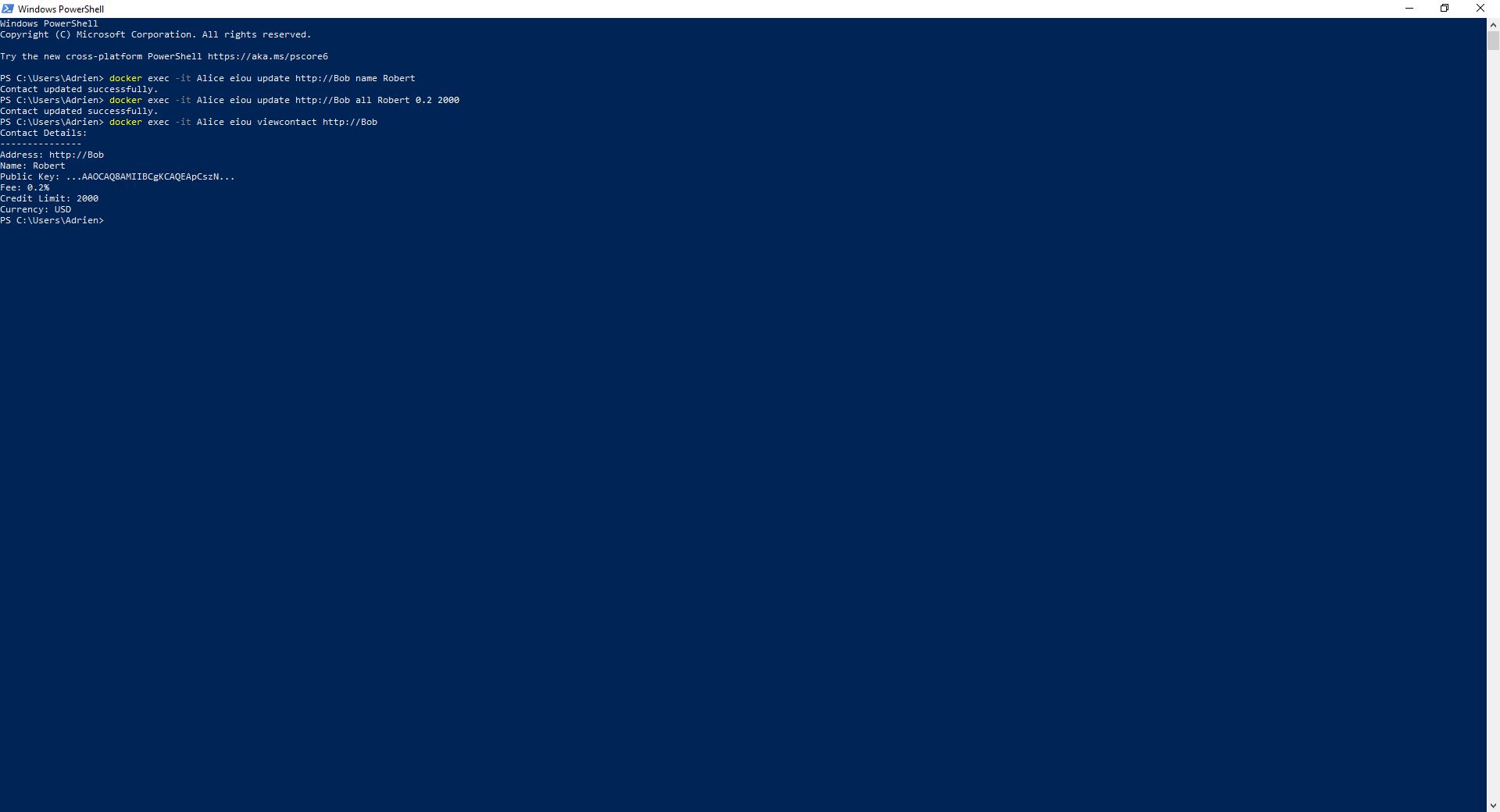
Before Continuing
To undo the changes made in the examples above, run this command:
docker exec -it Alice eiou update http://Bob all Bob 0.1 1000This will restore Bob's original name, fee percentage, and credit limit to their default values.