Settings Tutorial
Learn how to view and update your configuration settings using the eIOU protocol. This tutorial will show you the most important settings-related commands for managing your wallet and preferences.
This video demonstrates how to view and update your configuration settings using the eIOU protocol.
What You'll Learn
- How to view your current configuration settings
- Updating your wallet preferences and options
- Generating a new wallet when needed
- Getting help with any command
Command Usage
docker exec -it Alice eiou viewsettings
Example
docker exec -it Alice eiou viewsettingsViewing Your Settings
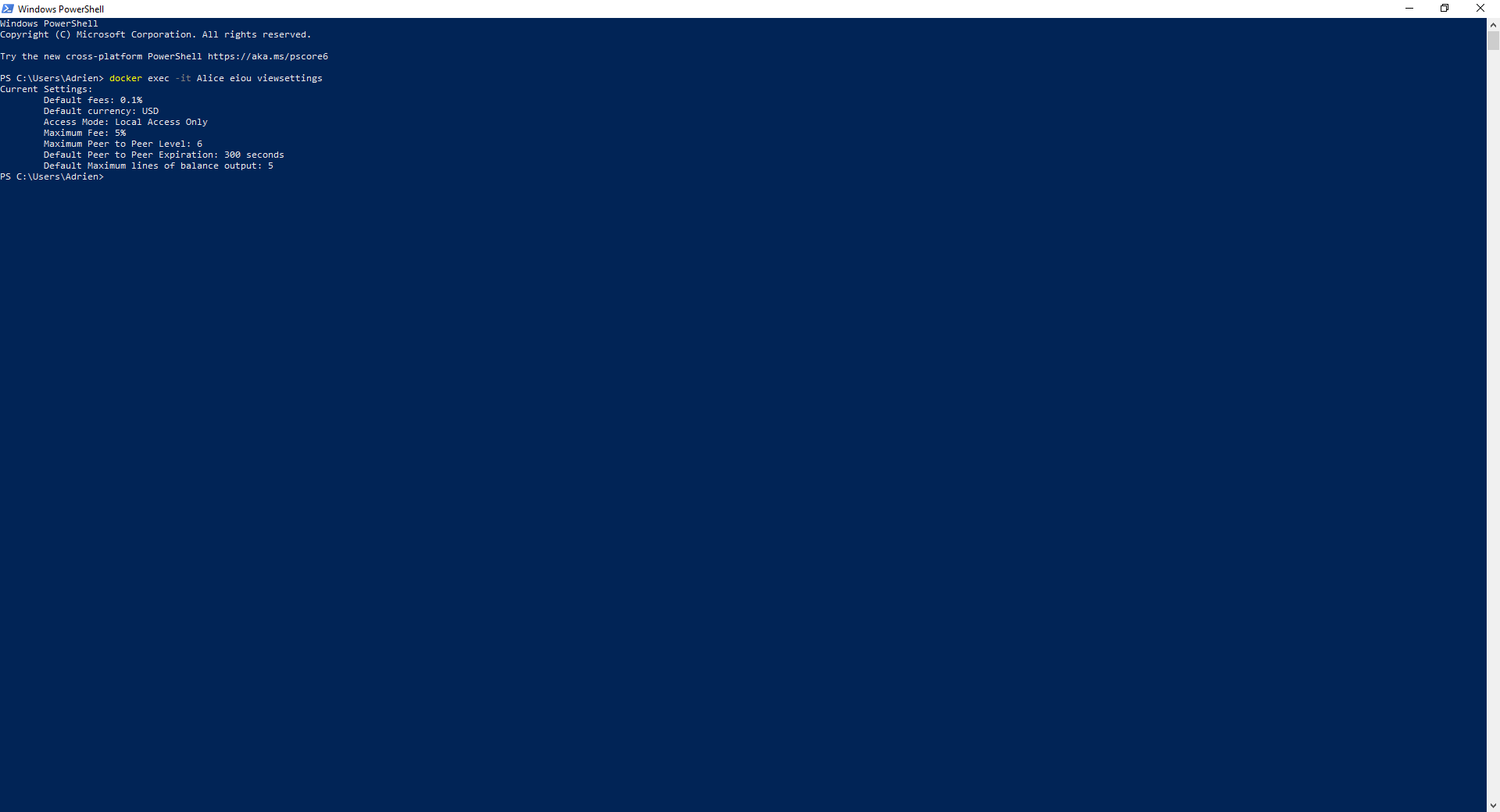
To see your current configuration, use the following command:
docker exec -it Alice eiou viewsettingsThis will display your current settings, such as wallet address, default currency, and other preferences.
Changing Your Settings
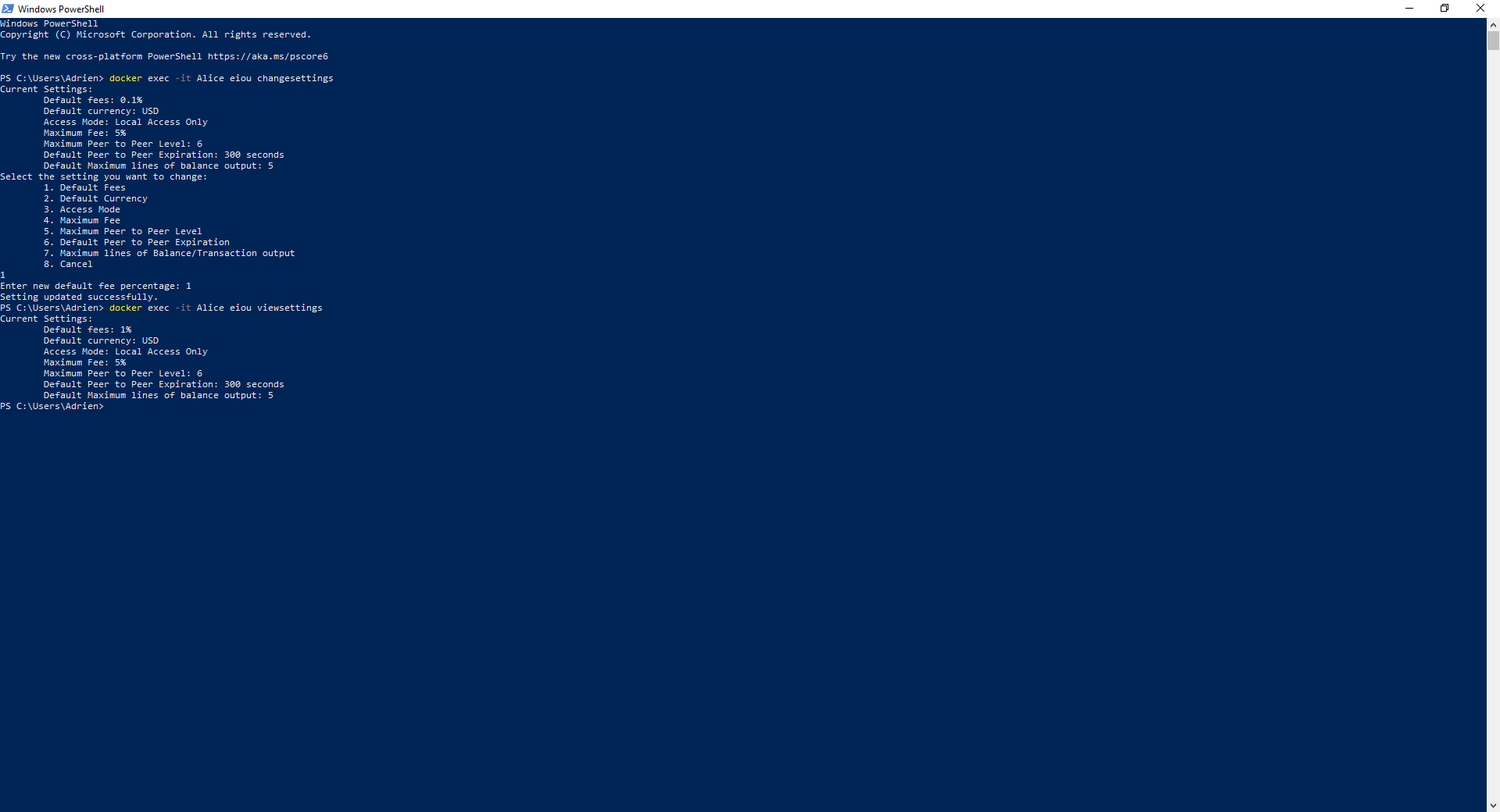
To change your settings, use the docker exec -it Alice eiou changesettings command. For example:
docker exec -it Alice eiou changesettingsYou will be prompted to update various configuration options, such as your default currency, notification preferences, or security settings.
Generating a New Wallet
If you need to create a new wallet, use the following command:
docker exec -it Alice eiou generateThis will generate a new passphrase and keypair for your account.
⚠️ This will replace your current wallet. Be sure to save your passphrase securely! ⚠️
Getting Help
If you need assistance with any command, use the help command:
docker exec -it Alice eiou helpFor help with a specific command, add the command name. For example:
docker exec -it Alice eiou help changesettingsNeed more detailed help? Check out our comprehensive Help Tutorial for complete guidance on using the help system and understanding all available commands.
Common Settings Commands
- View settings:
docker exec -it Alice eiou viewsettings - Update settings:
docker exec -it Alice eiou changesettings - Generate wallet:
docker exec -it Alice eiou generate - Get help:
docker exec -it Alice eiou help
Tips
-
Use
docker exec -it Alice eiou viewsettingsto check your current configuration before making changes - Back up your wallet before making significant setting changes
-
Use
docker exec -it Alice eiou helpwith any command name to get detailed assistance - Consider your security preferences when configuring notification settings