Add Contact Tutorial
Learn how to add new contacts to your eIOU wallet, send contact requests, and accept incoming contact requests using the eIOU protocol.
This video shows how to add new contacts, send contact requests, and accept incoming contact requests in the eIOU protocol.
What You'll Learn
- How to add a new contact to your local database
- Sending contact requests to other users
- Setting up initial credit limits for new contacts
- Configuring transaction fees for the contact relationship
Adding New Contacts
Command Usage
docker exec -it [container_name] eiou add [URI] [name] [fee]
            [main_nominal_credit] [main_currency]
Example
docker exec -it Alice eiou add http://Bob Bob 0.1 1000 USD
Multiple Container Setup Examples
If you have multiple containers set up, here are examples of establishing initial contacts between them:
# Copy all commands at once:
docker exec Alice eiou add http://Bob Bob 0.1 1000 USD
docker exec Bob eiou add http://Alice Alice 0.1 1000 USD
docker exec Bob eiou add http://Carol Carol 0.1 1000 USD
docker exec Carol eiou add http://Bob Bob 0.1 1000 USD
docker exec Carol eiou add http://Daniel Daniel 0.1 1000 USD
docker exec Daniel eiou add http://Carol Carol 0.1 1000 USD
Individual commands:
docker exec Alice eiou add http://Bob Bob 0.1 1000 USDdocker exec Bob eiou add http://Alice Alice 0.1 1000 USDdocker exec Bob eiou add http://Carol Carol 0.1 1000 USDdocker exec Carol eiou add http://Bob Bob 0.1 1000 USDdocker exec Carol eiou add http://Daniel Daniel 0.1 1000 USDdocker exec Daniel eiou add http://Carol Carol 0.1 1000 USD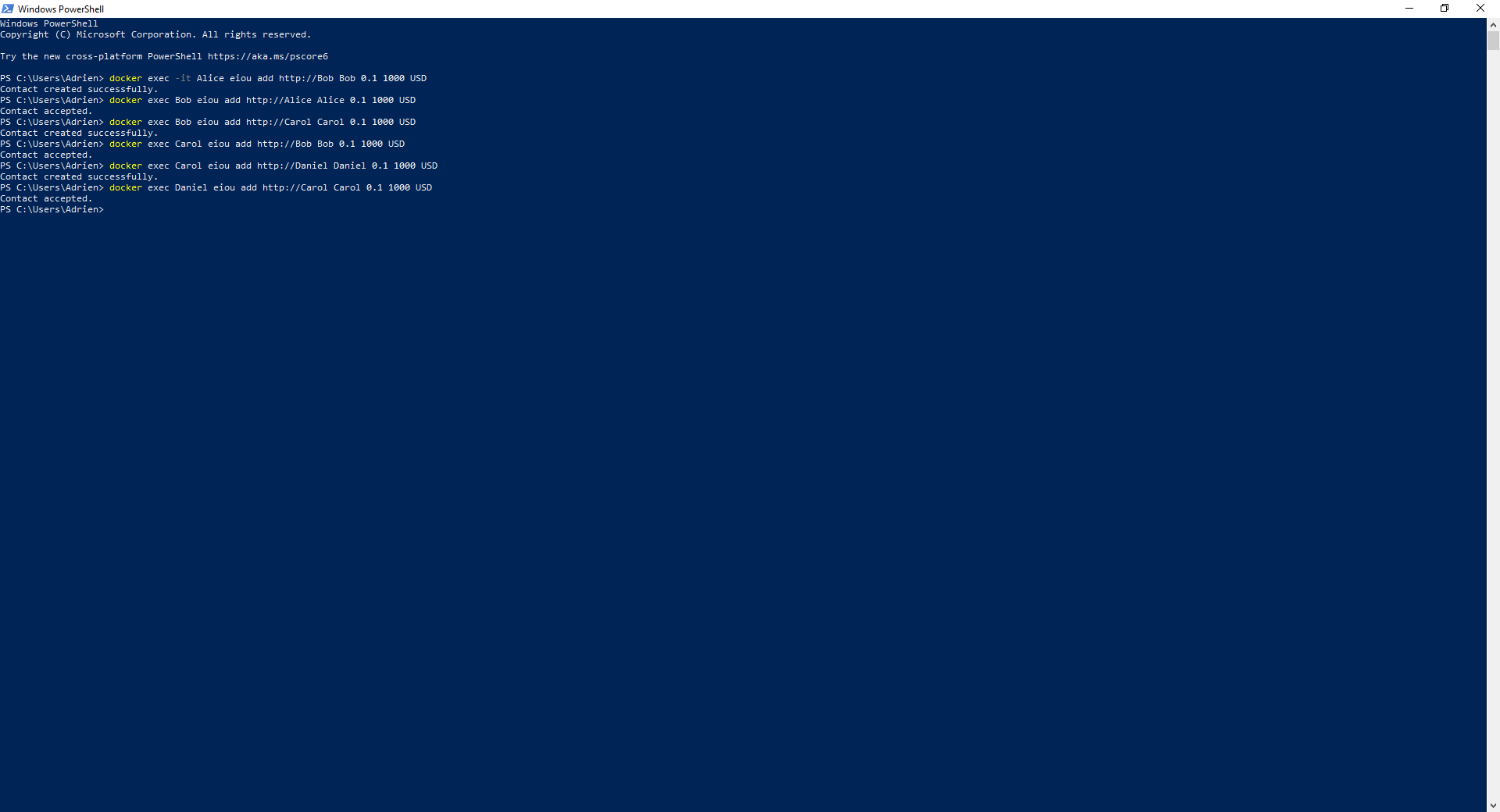
Parameters Explained
- container_name: The name of your Docker container (e.g., Alice, Bob)
- URI: The contact's address or URI (e.g., http://Bob)
- Name: A friendly name for the contact (e.g., Bob)
- Fee: The fee percentage (e.g., 0.1 for 0.1%)
- Main Nominal Credit: The initial credit limit (e.g. 1000 for $1,000 USD)
- Main Currency: The currency for transactions (e.g., USD)
Accepting Contact Requests
When someone adds you as a contact, you'll need to add them back to establish a two-way connection:
Command Usage
docker exec -it [your_container] eiou add [their_URI]
              [their_name] [fee] [credit_limit] [currency]
Example
docker exec -it Bob eiou add http://Alice Alice 0.2 20 USDWhat You'll Learn
- How to accept incoming contact requests
- Adding contacts back to your local database
- Setting up reciprocal credit limits
- Configuring transaction fees for accepted contacts
Important Notes
- Accepting a contact request establishes a two-way connection
- You can set different credit limits and fees than the requesting party
- Important: Make sure to verify the contact's address/URI before accepting
- Both parties must add each other for transactions to work
Prerequisites
Before you can add contacts, make sure you have:
- Set up your eIOU network with Docker containers (see Docker Setup)
- Generated your public keys (see Generate)
- The contact's URI and they have generated their public keys