Generate Wallet Tutorial
Learn how to generate a new cryptographic wallet for use with the eIOU protocol. This is the first step to using eIOU securely.
Quickstart Users
If you used the quickstart flag during setup, your wallet has already been generated automatically. You can skip this tutorial and proceed to the next section.
Skip to Next Tutorial →This video shows how to generate a new cryptographic wallet for use with the eIOU protocol.
What You'll Learn
- How to generate a new wallet
- Understanding wallet security
- Backing up your wallet keys
- Next steps after wallet creation
Command Usage
docker exec [container_name] eiou generate [URI]
Single Container Example
docker exec -it Alice eiou generate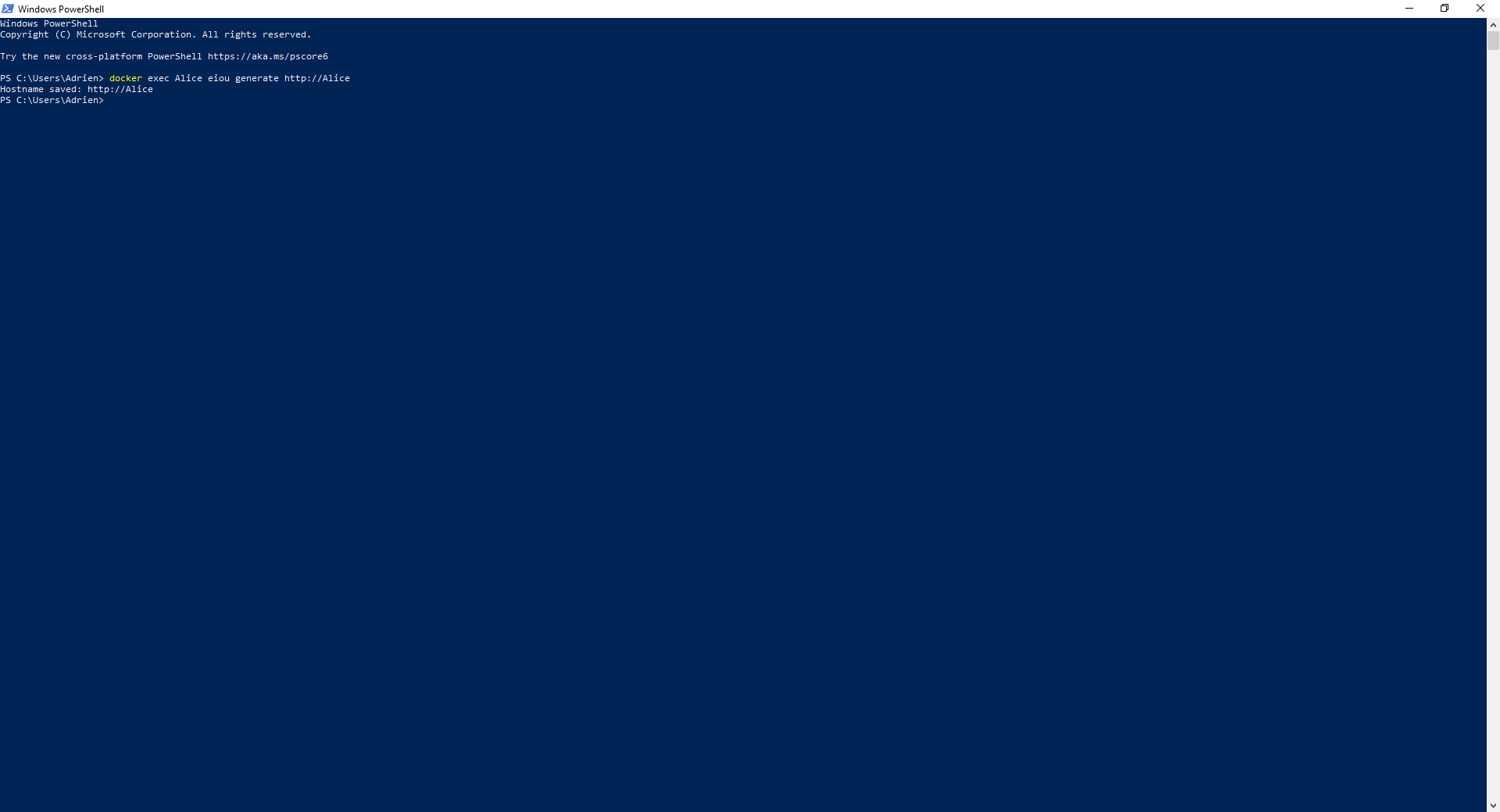
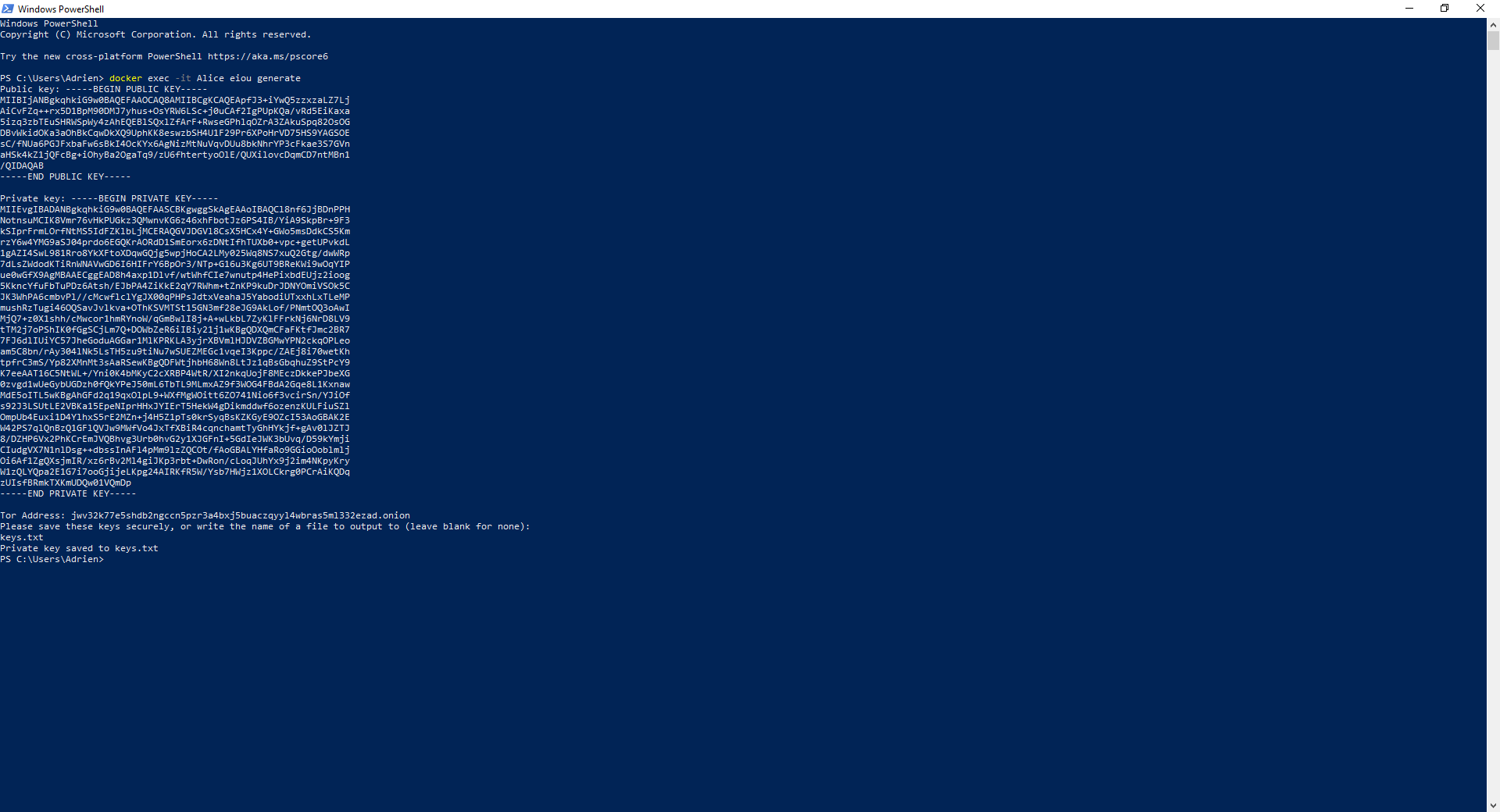
Multiple Containers Example
If you have multiple containers set up (Alice, Bob, Carol, Daniel), generate keys for each:
docker exec Alice eiou generate http://Alicedocker exec Bob eiou generate http://Bobdocker exec Carol eiou generate http://Caroldocker exec Daniel eiou generate http://Daniel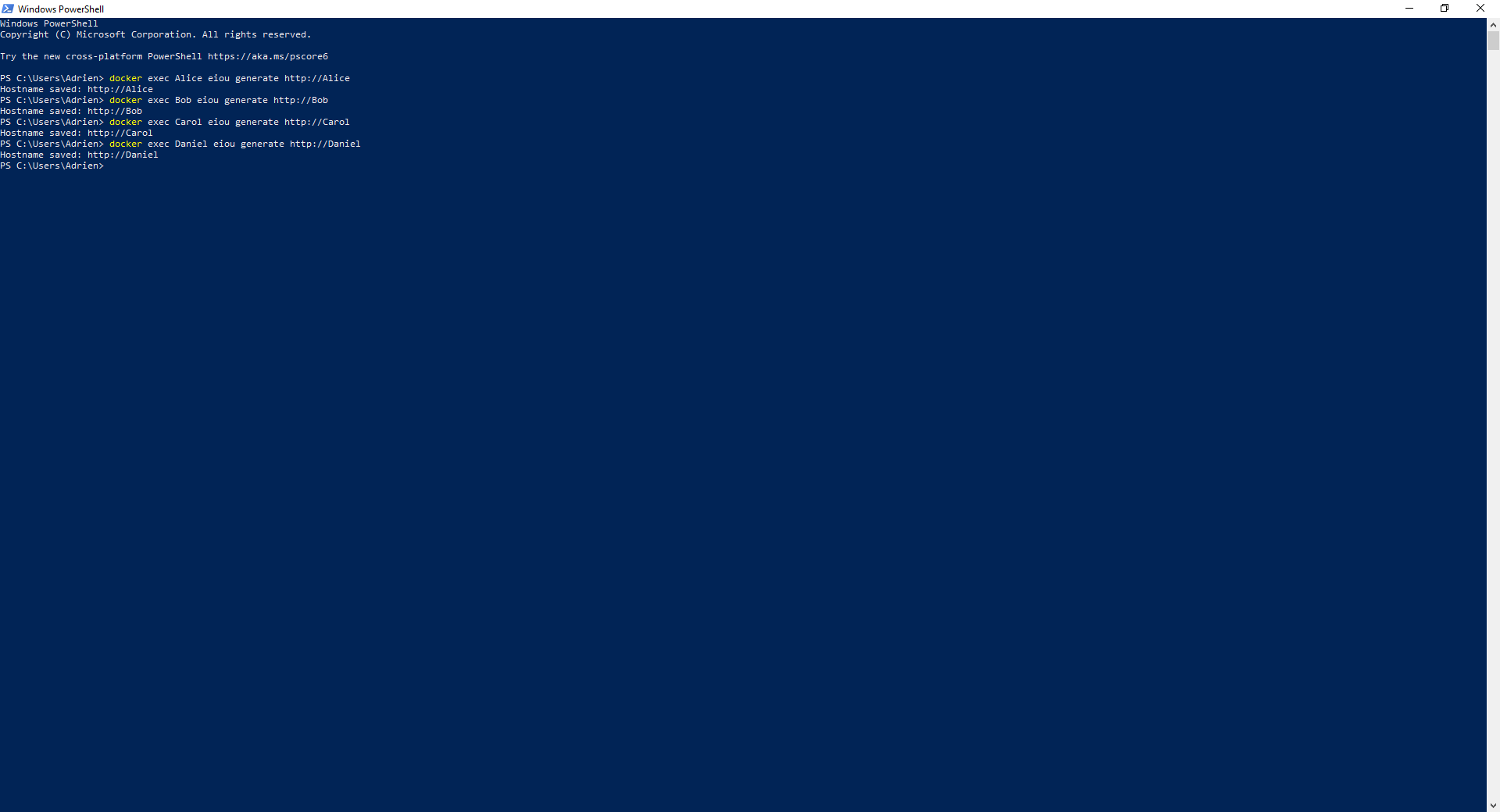
Wallet Generation Information
The command will:
- Create a new cryptographic key pair
- Store your wallet securely on your device
- Display your public key and wallet address
- Prompt you to back up your private key
Security Tips
- Never share your private key with anyone
- Back up your wallet in a safe location
- Consider using a password manager for key storage
- Never enter your private key on untrusted devices
- Regenerate your wallet if you suspect compromise